
Tour and activity booking software
Fill every session. Get paid directly.
Sell tickets, manage bookings and control capacity from one simple platform. Get paid straight into your account and check tickets in from your phone. No monthly fees.
No monthly fee. Your first €500 each month, commission-free.
- Secure payments with Stripe
- Card, Apple Pay and Google Pay
- No contract

Built for anyone who sells timed seats
See it in action
Everything between “I want to go” and “I’m in”
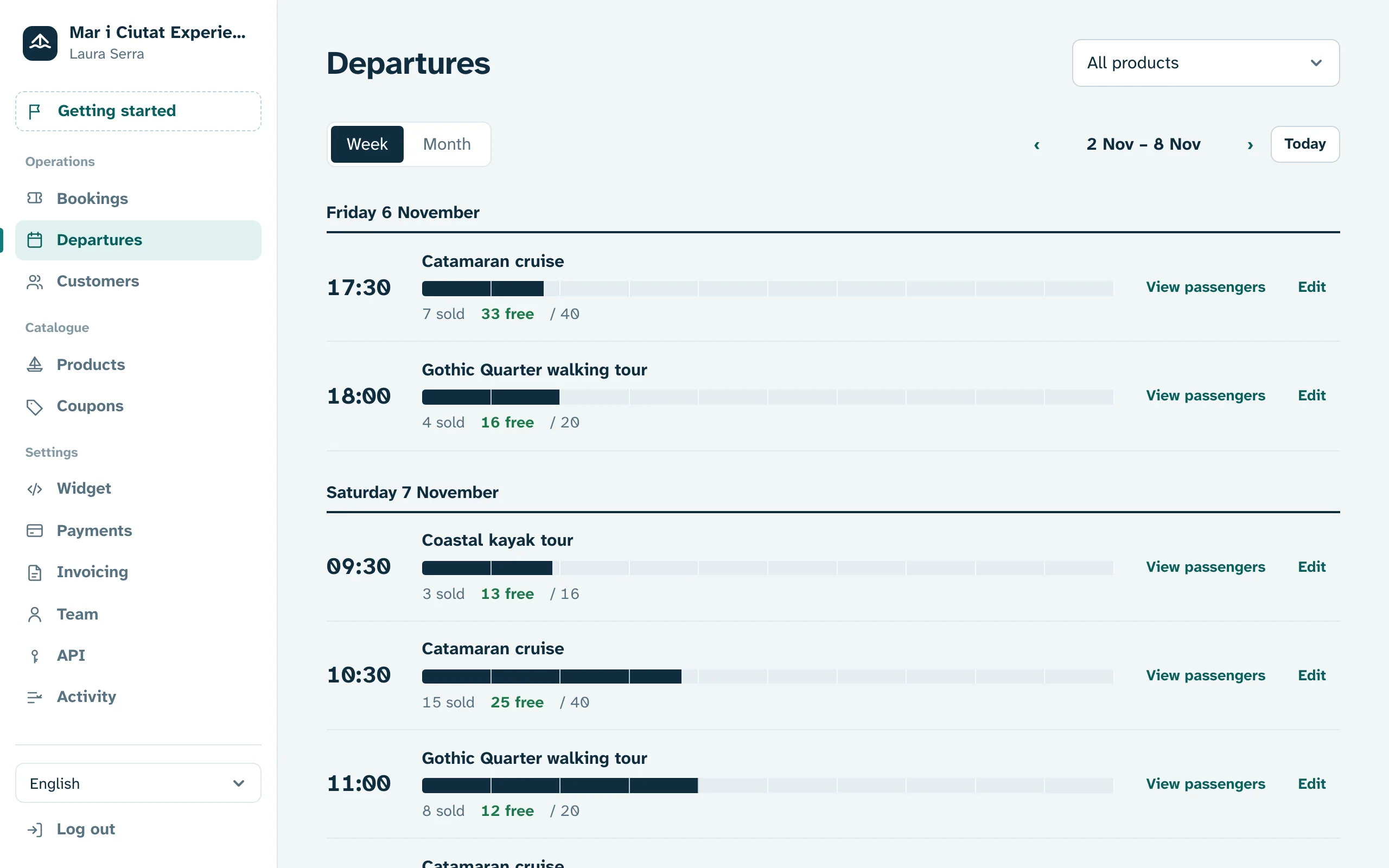
1
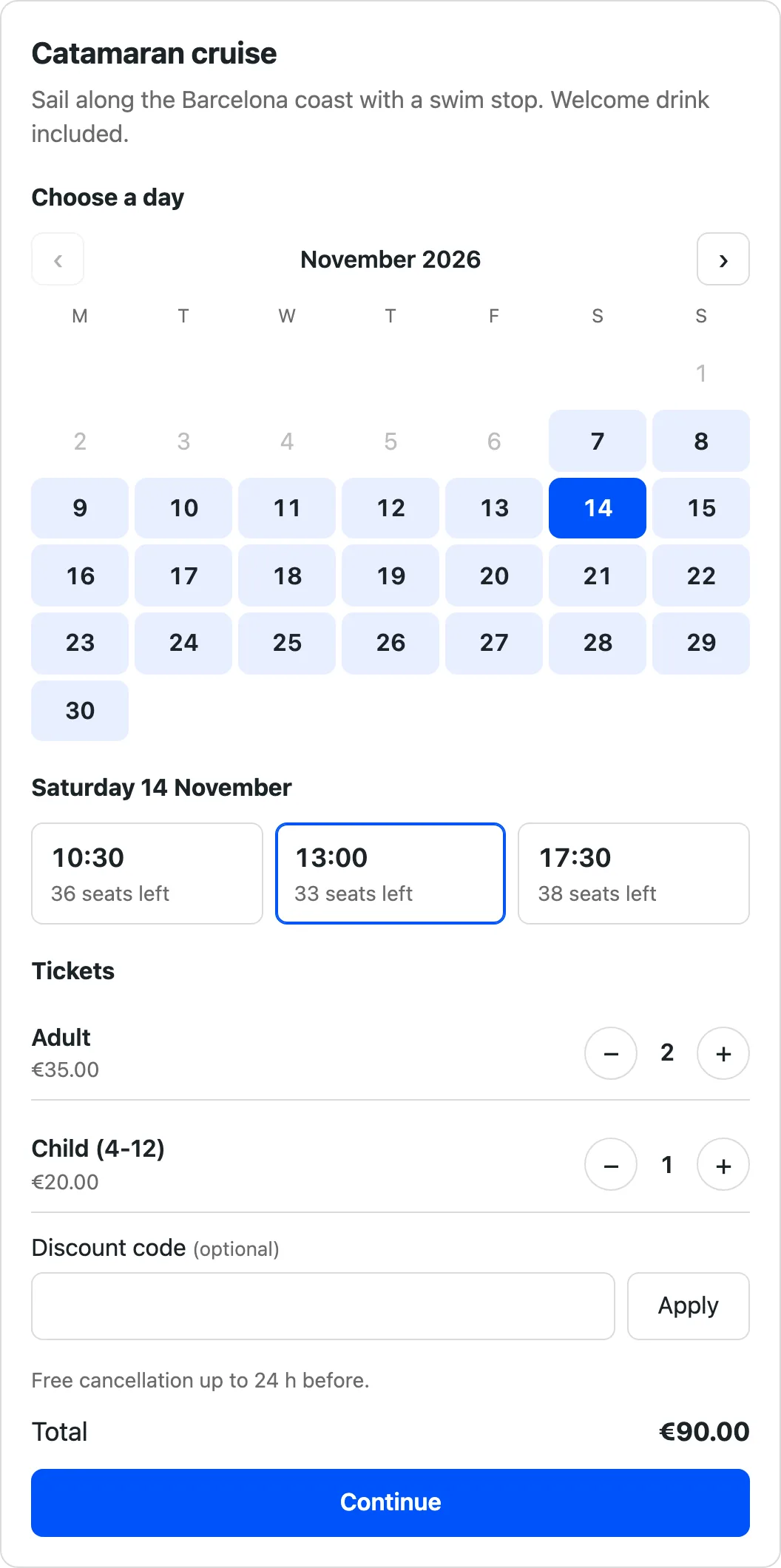
Bookings on your own website
Paste one line of code and your website sells tickets around the clock. The widget fits your design without breaking anything. No website yet? You get a booking page ready to share on Instagram or Google.
- Schedules, seasons and prices per ticket type
- Child, adult, family or group tickets
- Discount codes with limits and dates
2
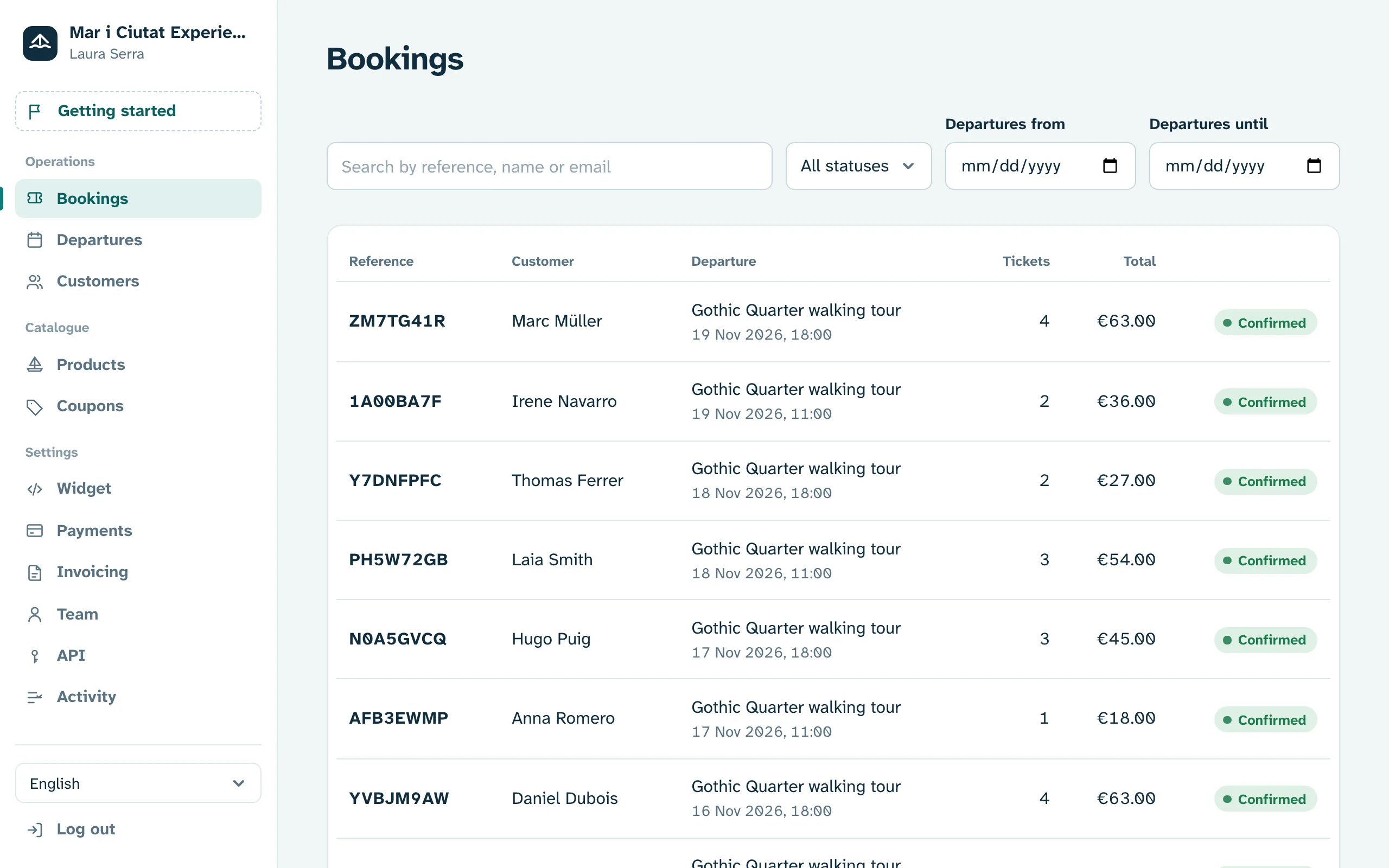
Money goes straight to your account
Take cards, Apple Pay and Google Pay through your own Stripe account. We never touch your money: no waiting, no end-of-month settlements.
- Full or partial refunds in one click
- A cancellation policy that applies itself
- Customer invoices issued automatically
3
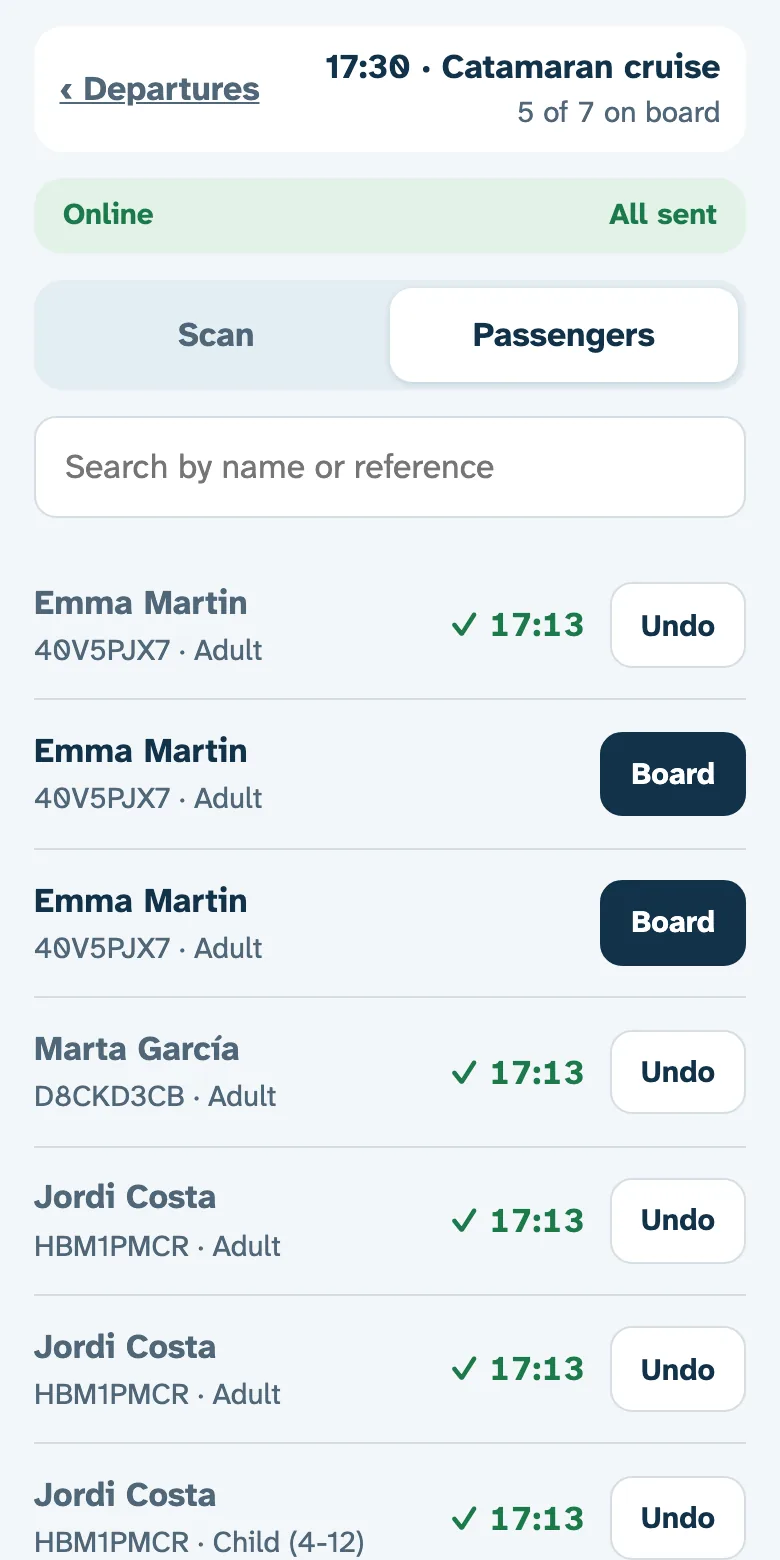
QR check-in, no paper
Every customer gets their tickets by email. Your team scans them with the check-in app for iPhone and Android and sees who is still missing.
- Guest list per session
- Works without signal
- Automatic reminders before the activity
Features
One tool to sell, manage and grow
Sell
Manage
Frequently asked questions
What is tour and activity booking software?
It is the tool that publishes your sessions with times and seats, takes payment online and delivers tickets to your customers. myTicketCalendar brings together the booking widget for your website, Stripe payments, QR tickets, the check-in app and the dashboard for your team.
What kind of business is it for?
Anyone selling seats at set times: guided tours, boat trips, kayak, surf and adventure, museums and monuments, wineries, workshops, tastings and classes. It is not built for hotels or restaurants.
Does it work with WordPress, Wix or my custom website?
Yes. Paste one line of code and the widget appears on your site, whether WordPress, Wix, Squarespace or custom built. It runs isolated, so it never breaks your design.
How long until I start selling?
An afternoon. Open your account, connect Stripe, create your activity with its times and prices, then paste the widget or share your booking page.
Are payments secure?
Payments are processed by Stripe with 3D Secure, straight into your account. We never touch the money and data is hosted in the European Union.
Which languages can my customers book in?
Spanish, Catalan and English: the widget, emails and tickets follow the customer’s language.
Can I sell through agencies and resellers too?
Yes. Bookings from agencies, hotels or other channels are entered in the dashboard and take seats from the same capacity, so you never sell a seat twice. There is no automatic marketplace connection today.
How much does it cost?
Nothing per month and nothing to get started. The first €500 you sell each month pays no commission; beyond that, 2% per booking with a €0.30 minimum. The allowance resets on the 1st of every month. Stripe charges its own fee for each payment separately.
Do I need a website?
No. You get a booking page with your name to link from social media, Google or WhatsApp. If you have a website, the widget fits right into it.
When do I get paid?
Payments go straight to your Stripe account, connected in minutes from the dashboard. Stripe pays out to your bank on the schedule you choose.
What if I cancel a booking?
Refund it, fully or partly, from the dashboard. And if you allow it, customers cancel or change the date themselves under your policy.
Can I also sell at the counter?
Yes. Bookings you enter in the dashboard take seats just like online ones, so you never sell the same seat twice.
Will you help me get started?
Yes. Get a demo and we will walk you through the dashboard with your own activities, or open your account and have it ready in an afternoon.
Your next session, sold while you sleep
Open your account and start selling today, or get a demo and we will show you around.