
Bad weather, no drama
Close a departure or a whole day and refund or rebook passengers from the dashboard.

Every departure organized. Every passenger accounted for.
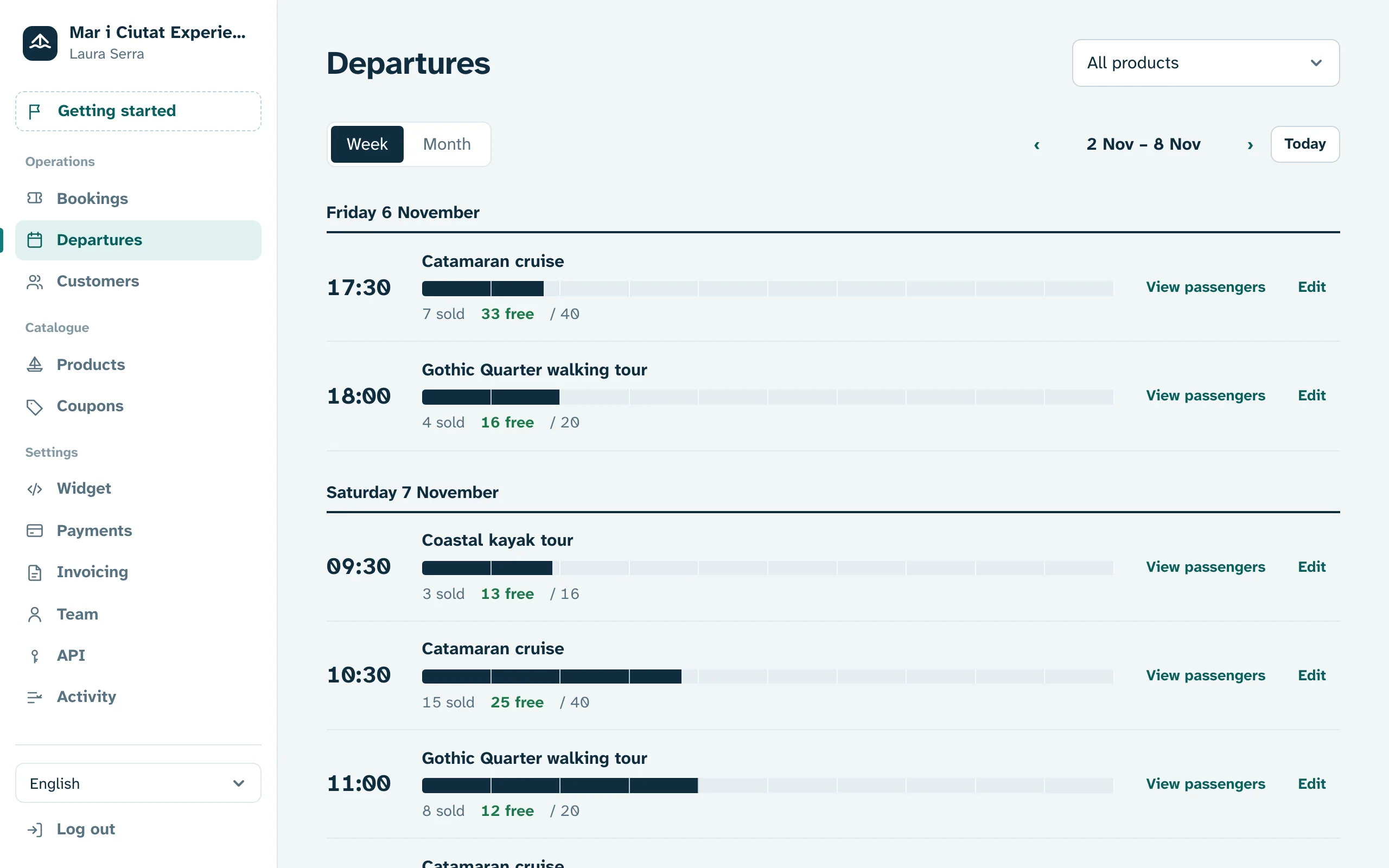
Sell seats per departure with capacity per vessel, cancel for bad weather in one click and board passengers by scanning their QR on the dock.
No monthly fee. Your first €500 each month, commission-free.
Built for anyone who sells timed seats
Boat tours
Close a departure or a whole day and refund or rebook passengers from the dashboard.
Website, harbour kiosk and agencies share the same seats. You never sell one too many.
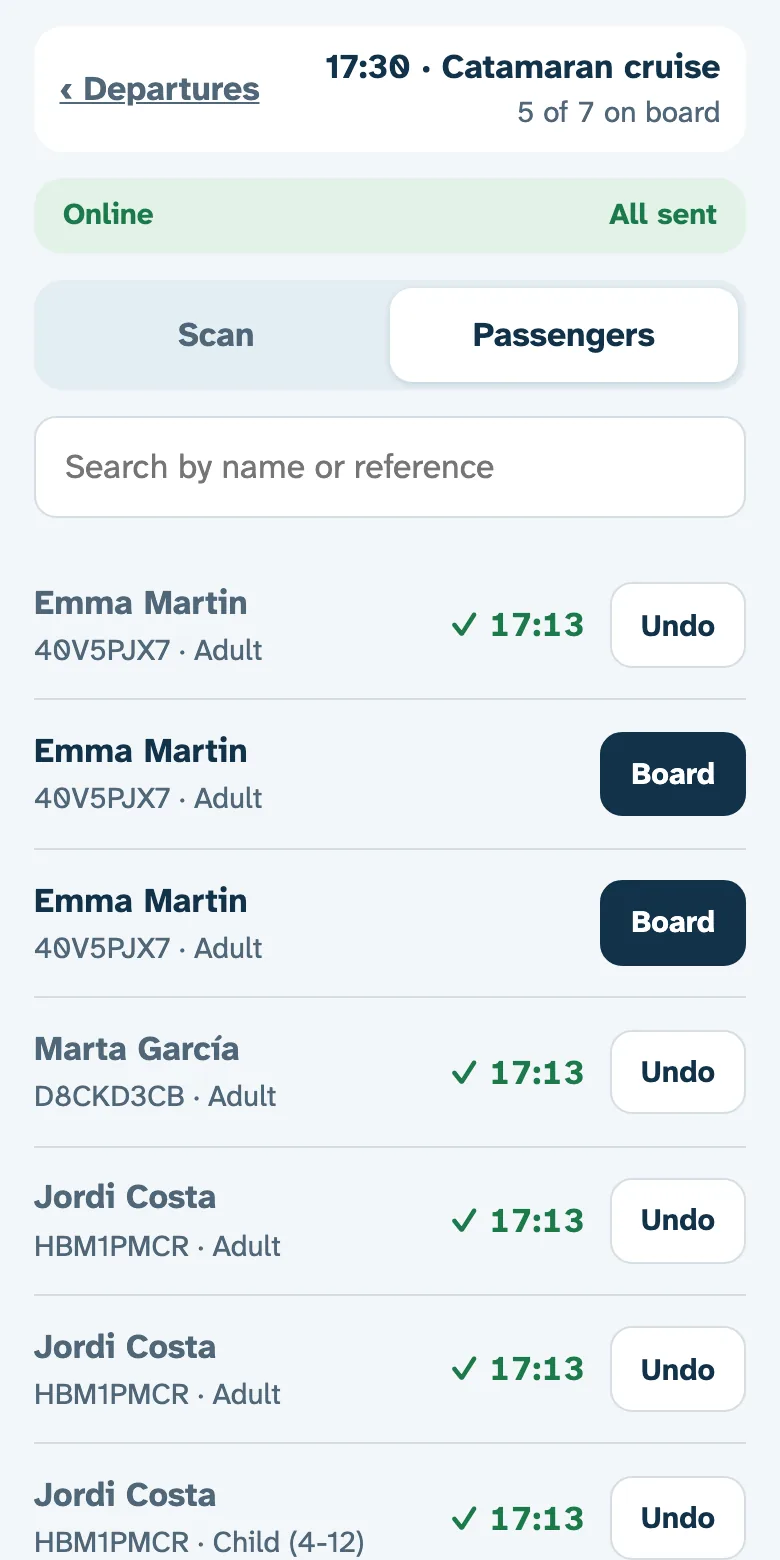
Scan the QR on the dock, even without signal, and see who is still missing.
Set days and times once and departures appear on your calendar by themselves, each with its capacity.
Each boat or route is an activity with its own capacity, schedule and prices.
Every departure has its passenger list, on your phone or printed before you cast off.
See it in action
1
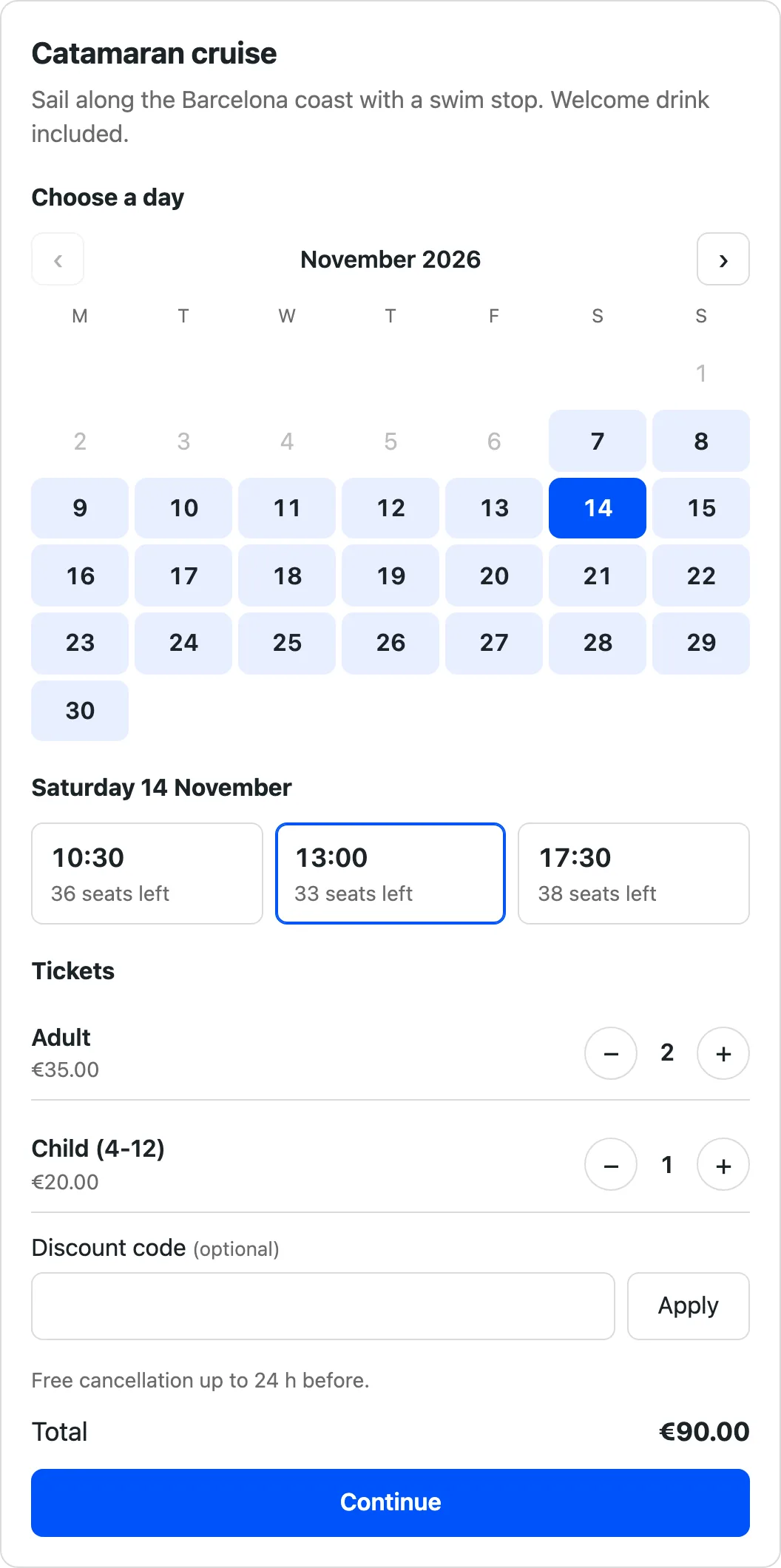
Paste one line of code and your website sells tickets around the clock. The widget fits your design without breaking anything. No website yet? You get a booking page ready to share on Instagram or Google.
2
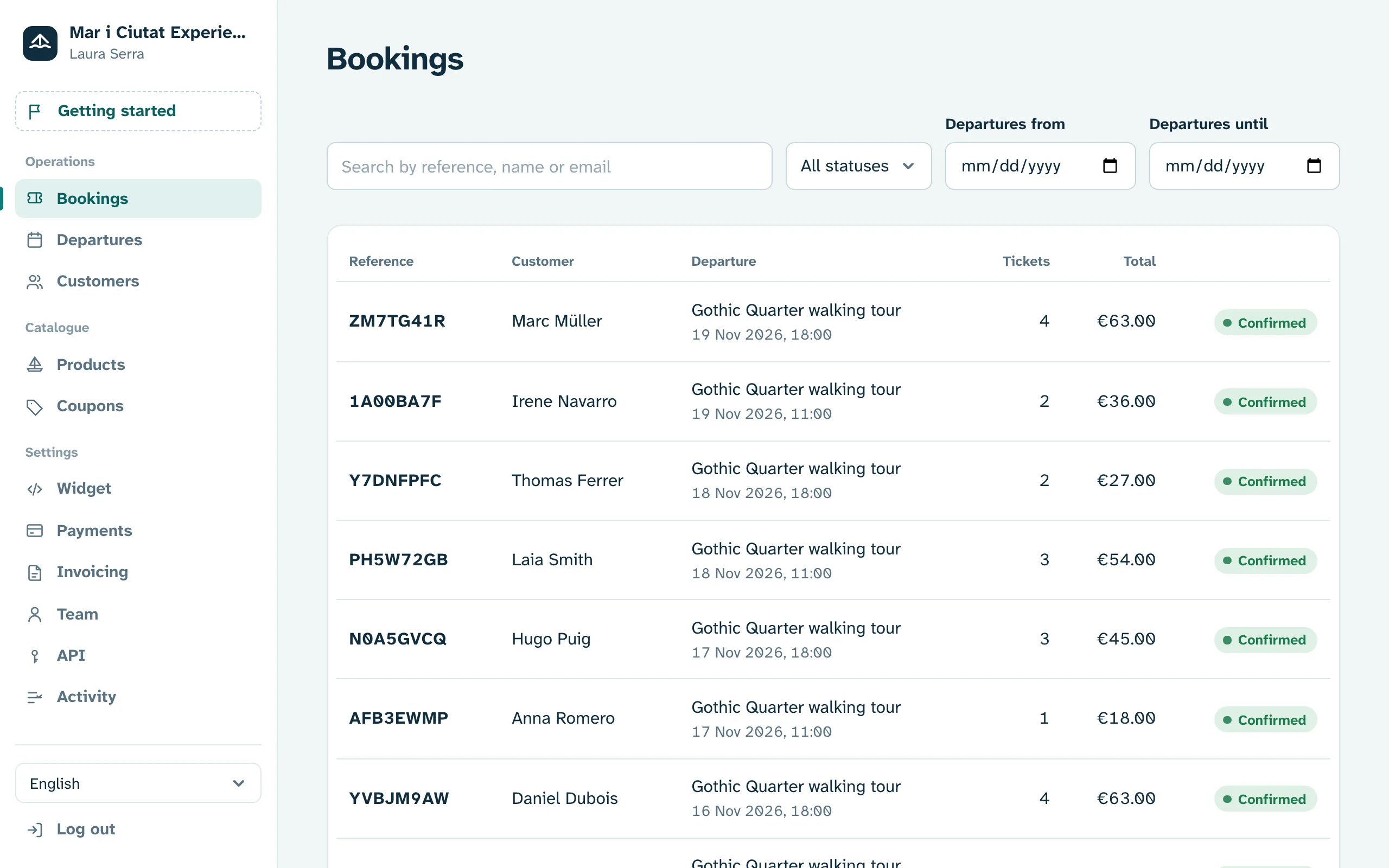
Take cards, Apple Pay and Google Pay through your own Stripe account. We never touch your money: no waiting, no end-of-month settlements.
3
Every customer gets their tickets by email. Your team scans them with the check-in app for iPhone and Android and sees who is still missing.
Features
Close the departure or the whole day in the dashboard and refund or rebook your passengers. Remove the closure and the seats come back.
Yes. Each boat or route is an activity with its own capacity, schedule and prices.
Your crew scans each ticket’s QR on the dock with the iPhone and Android app. It works without signal and shows who is still missing.
Yes. Website, kiosk and agencies all draw from the same capacity, so you never oversell.
Yes. Every departure has its passenger list, on your phone or printed before you sail.
€190: the first €500 is commission-free and the rest pays 2%. No monthly fee. Stripe charges its own payment fee separately.
Nothing per month and nothing to get started. The first €500 you sell each month pays no commission; beyond that, 2% per booking with a €0.30 minimum. The allowance resets on the 1st of every month. Stripe charges its own fee for each payment separately.
No. You get a booking page with your name to link from social media, Google or WhatsApp. If you have a website, the widget fits right into it.
Payments go straight to your Stripe account, connected in minutes from the dashboard. Stripe pays out to your bank on the schedule you choose.
Refund it, fully or partly, from the dashboard. And if you allow it, customers cancel or change the date themselves under your policy.
Yes. Bookings you enter in the dashboard take seats just like online ones, so you never sell the same seat twice.
Yes. Get a demo and we will walk you through the dashboard with your own activities, or open your account and have it ready in an afternoon.
Open your account and start selling today, or get a demo and we will show you around.